| Get How to Build Your Own PC in print for just $21.95 |
Click Here!
|
|
|
The Red Hat Graphical User Interface (GUI)
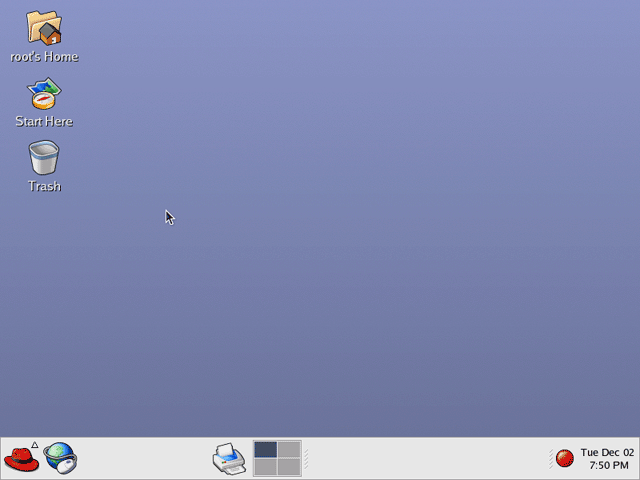
Once you sign in, the Red Hat graphical
user interface (GUI) will load, as shown in Figure 195.
This is in fact one of several possible GUIs.
Click on the red hat at the lower
left corner to see the menu. Notice toward the middle of the task bar,
four squares are shown with one highlighted. These correspond to individual
workspaces. For example, if you open a word processor in the current
workspace, click one of the other squares and open another program there,
each workspace will contain its own programs. So, it’s like having
four monitor screens available.
Figure 195: One of many Red Hat GUIs Click on the red hat to see the menu, or one of the four squares to switch between virtual workspaces.
|
| If you find The PC Guide useful, please consider making a small Paypal donation to help the site, using one of the buttons below. You can also donate a custom amount using the far right button (not less than $1 please, or PayPal gets most/all of your money!) In lieu of a larger donation, you may wish to consider buying the inexpensive print version of How to Build Your Own PC, direct from the author. Thanks for your support! |
|
|
Home -
Table Of Contents - Contact Us
How to Build Your Own PC (http://www.PCGuide.com/byop/) on PCGuide.com
Version 1.0 - Version Date: May 4, 2005
Adapted with permission from a work created by Charlie Palmer.
PCGuide.com Version © Copyright 2005 Charles M. Kozierok. All Rights Reserved.
Not responsible for any loss resulting from the use of this site.
|


