| Get the entire How to Build Your Own PC in affordable hard copy |
Click Here!
|
|
|
Logging in as Root
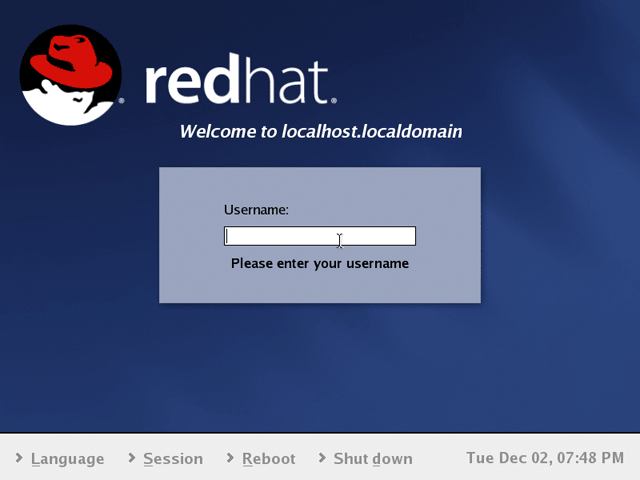
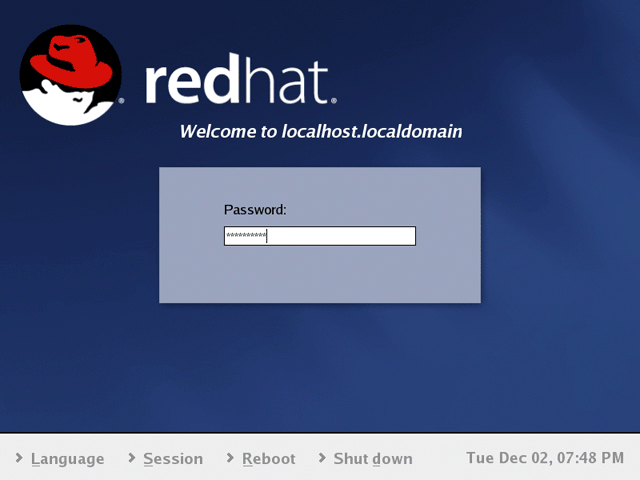
First, login as root (Figure 193
and Figure 194).
In general, only login as root when you plan to make changes to your
operating system. For other common uses, use a non-root account. This
helps prevent you from inadvertently changing the operating system.
Figure 193: Red Hat login screen After booting to Red Hat, we’re asked for our username. Hit “Enter” after entering your username to go to the password screen.
|
Figure 194: Red Hat password screen Enter your case-sensitive password and hit “Enter.”
|
| If you find The PC Guide useful, please consider making a small Paypal donation to help the site, using one of the buttons below. You can also donate a custom amount using the far right button (not less than $1 please, or PayPal gets most/all of your money!) In lieu of a larger donation, you may wish to consider buying the inexpensive print version of How to Build Your Own PC, direct from the author. Thanks for your support! |
|
|
Home -
Table Of Contents - Contact Us
How to Build Your Own PC (http://www.PCGuide.com/byop/) on PCGuide.com
Version 1.0 - Version Date: May 4, 2005
Adapted with permission from a work created by Charlie Palmer.
PCGuide.com Version © Copyright 2005 Charles M. Kozierok. All Rights Reserved.
Not responsible for any loss resulting from the use of this site.
|


