| Get the entire How to Build Your Own PC in affordable hard copy |
Click Here!
|
|
|
Installing the Floppy Drive in the Drive Cage
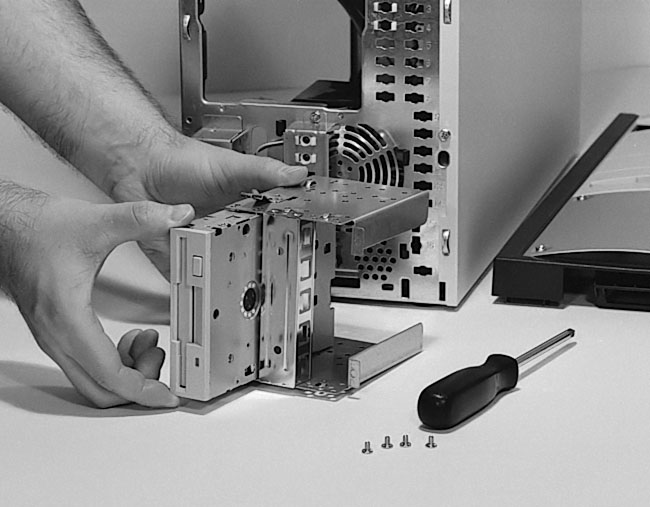
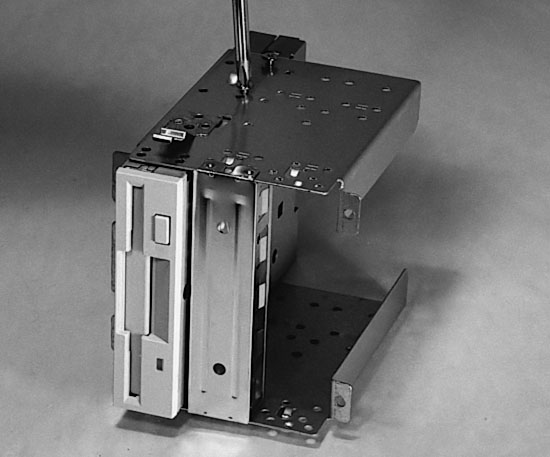
Now, insert the floppy drive in its
cage in the proper orientation (so you can put a disk in it from the
front) and secure the drive by tightening the four screws (Figure 75
and Figure 76).
Figure 75: Insert the floppy drive into the 3.5” cage The bay the drive must occupy is determined by the position of the floppy hole in the front of the bezel (See Figure 50).
|
Figure 76: Screwing the floppy drive into the 3.5” drive cage
|
| If you find The PC Guide useful, please consider making a small Paypal donation to help the site, using one of the buttons below. You can also donate a custom amount using the far right button (not less than $1 please, or PayPal gets most/all of your money!) In lieu of a larger donation, you may wish to consider buying the inexpensive print version of How to Build Your Own PC, direct from the author. Thanks for your support! |
|
|
Home -
Table Of Contents - Contact Us
How to Build Your Own PC (http://www.PCGuide.com/byop/) on PCGuide.com
Version 1.0 - Version Date: May 4, 2005
Adapted with permission from a work created by Charlie Palmer.
PCGuide.com Version © Copyright 2005 Charles M. Kozierok. All Rights Reserved.
Not responsible for any loss resulting from the use of this site.
|


