| Read up on building your PC, anywhere you go! |
Click Here!
|
|
|
Installing the Floppy Drive
Let’s start with the floppy
drive. The floppy drive uses the fine thread screws that came with your
case. Most floppy drives don’t come with screws. Pick up one of
the fine thread screws and test it to be sure you have the correct screw
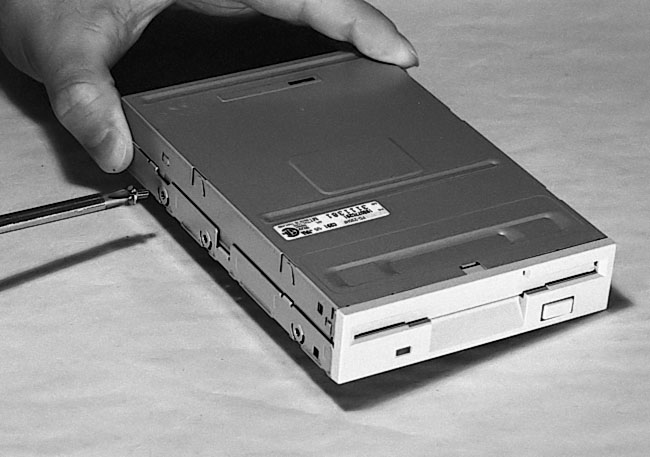
(Figure 74).
Just see if you can get it started with your fingers or with light pressure
from a screwdriver. Find three similar screws. If a particular screw
won’t go, it’s probably the wrong thread or, possibly, the
thread of the screw or the nut has been stripped. Try another screw.
Try to avoid forcing any screws.
Figure 74: Testing a screw in the floppy drive Before installing any drive, have the proper screws handy. The floppy drives use fine thread screws. The hard drives and other drives use coarse screws that typically come with the drive. Notice the screwdriver is slightly magnetic allowing it to hold the screw. Don’t worry. That small magnetic field won’t hurt your drives.
|
|
Quick navigation to subsections and regular topics in this section
|
| If you find The PC Guide useful, please consider making a small Paypal donation to help the site, using one of the buttons below. You can also donate a custom amount using the far right button (not less than $1 please, or PayPal gets most/all of your money!) In lieu of a larger donation, you may wish to consider buying the inexpensive print version of How to Build Your Own PC, direct from the author. Thanks for your support! |
|
|
Home -
Table Of Contents - Contact Us
How to Build Your Own PC (http://www.PCGuide.com/byop/) on PCGuide.com
Version 1.0 - Version Date: May 4, 2005
Adapted with permission from a work created by Charlie Palmer.
PCGuide.com Version © Copyright 2005 Charles M. Kozierok. All Rights Reserved.
Not responsible for any loss resulting from the use of this site.
|


