| Get How to Build Your Own PC in print for just $21.95 |
Click Here!
|
|
|
Driver Installation Example: Monitor Driver
We’ll use the Monitor, which
is actually driven by the video card, as an example. The monitor purchased
for this PC build is a ViewSonic A70f+ 17" monitor.
Installing the proper monitor information
files is one of the small things that purchasing a fully assembled PC
will have done for you. Trying to drive a monitor at too high a refresh
rate is one of the very few things that you can mess up with software
that has the potential to destroy hardware.
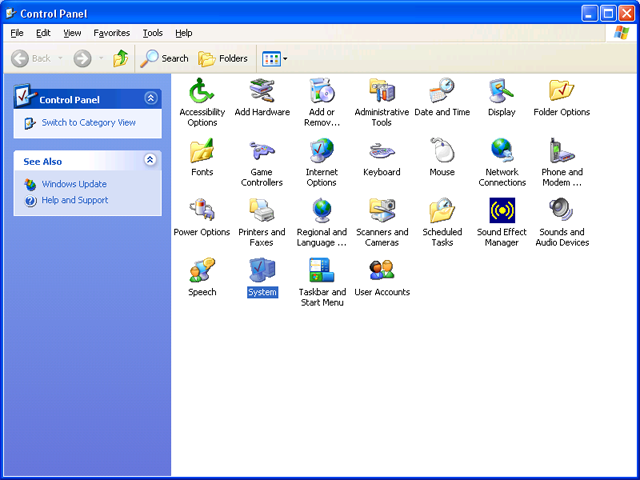
We’ll start by opening the Control
Panel (Figure 152).
Figure 152: The control panel window Select “System” to get to Device Manager.
|
|
Quick navigation to subsections and regular topics in this section
|
| If you find The PC Guide useful, please consider making a small Paypal donation to help the site, using one of the buttons below. You can also donate a custom amount using the far right button (not less than $1 please, or PayPal gets most/all of your money!) In lieu of a larger donation, you may wish to consider buying the inexpensive print version of How to Build Your Own PC, direct from the author. Thanks for your support! |
|
|
Home -
Table Of Contents - Contact Us
How to Build Your Own PC (http://www.PCGuide.com/byop/) on PCGuide.com
Version 1.0 - Version Date: May 4, 2005
Adapted with permission from a work created by Charlie Palmer.
PCGuide.com Version © Copyright 2005 Charles M. Kozierok. All Rights Reserved.
Not responsible for any loss resulting from the use of this site.
|


