| Get the entire How to Build Your Own PC in affordable hard copy |
Click Here!
|
|
|
Matching Standoffs and Screws to Mainboard Holes
If you examine your mainboard, you’ll
notice holes (see Figure 13).
These holes are meant to line up with the standoffs in the case. The
standoffs that don’t line up with holes can be removed. The purpose
of the standoffs is to hold the bottom of the mainboard above the metal
of the case. If the bottom of the mainboard were allowed to rest on
the metal case directly, it’s possible the mainboard would short
out and be damaged.
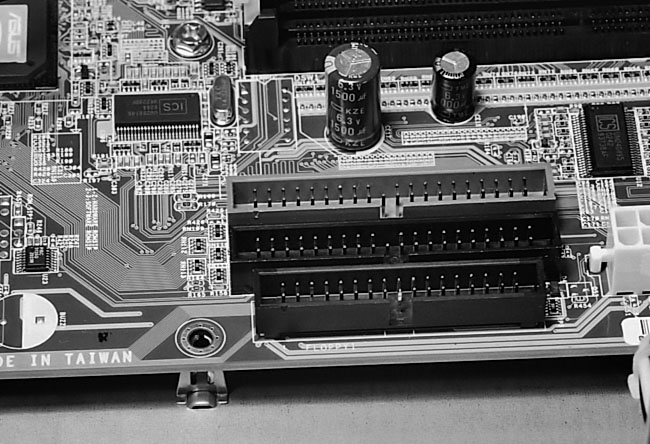
Figure 13: The mainboard sits on top of standoffs Notice the standoff sits below a hole in the mainboard. All standoffs must line up with holes in the mainboard. Be sure to remove any standoffs that don’t line up with holes.
|
You’ll learn about
static electricity in another section, but all sensitive electronic
parts such as mainboards, PCI cards, and CPUs should be carefully handled
to avoid damage from static electricity. Touch your hands to something
metal to ground yourself before picking up your mainboard or CPU. This
draws away any small charge that might remain on your hands so that
it doesn’t zap a sensitive component.
Be sure to remove any extra standoffs
that don’t match up with any holes in the mainboard. It’s
possible that an extra and unnecessary standoff that doesn’t match
up with any hole would improperly sit on the bottom of the mainboard
shorting it out.
I’d count the number of holes
in your mainboard and count the number of standoffs on the case and
be sure the numbers are equal. Or, at least, have the number of holes
exceed the number of standoffs. Then be certain that every standoff
is visible through one of the holes in the mainboard. For example, if
you’ve counted eight standoffs, your mainboard should have eight
holes and all eight standoffs should be visible through the holes when
the mainboard is seated.
You don’t need to place a standoff
below every mainboard hole. But, be sure to place all the standoffs
near where the ATX power supply, hard drive, and floppy drive cables
will plug into the board. Figure 13
shows a standoff near the IDE and floppy connectors on the mainboard.
It takes a bit of pressure to insert these cables, and you want the
bottom of the mainboard supported in this region. You don’t want
the mainboard to flex as you push in cables.
Some cheap cases and mainboards don’t
match up as well as they should. But, usually, matching an ATX mainboard
with an ATX case will work. If it doesn’t, it isn’t your fault.
Blame the manufacturers for poor tolerances! And, you can always omit
an offending standoff that just won’t line up with a mainboard
hole. Your mainboard should attach to your case easily, as long as you’re
matching an ATX case with an ATX mainboard.
If you examine the edge of one of
the holes in the mainboard, you’ll notice a ring of metal around
the hole. If a metal standoff is below and if a screw is used to secure
the board to the standoff, that will properly ground the board to the
case.
| If you find The PC Guide useful, please consider making a small Paypal donation to help the site, using one of the buttons below. You can also donate a custom amount using the far right button (not less than $1 please, or PayPal gets most/all of your money!) In lieu of a larger donation, you may wish to consider buying the inexpensive print version of How to Build Your Own PC, direct from the author. Thanks for your support! |
|
|
Home -
Table Of Contents - Contact Us
How to Build Your Own PC (http://www.PCGuide.com/byop/) on PCGuide.com
Version 1.0 - Version Date: May 4, 2005
Adapted with permission from a work created by Charlie Palmer.
PCGuide.com Version © Copyright 2005 Charles M. Kozierok. All Rights Reserved.
Not responsible for any loss resulting from the use of this site.
|


