| Read up on building your PC, anywhere you go! |
Click Here!
|
|
|
Connecting Other Thin-Wire Connectors
Most of the leads, such as the power
switch and the reset switch, can be connected in either orientation.
There is no “Pin 1” or side to these connectors.
Otherwise, if connected in the wrong
orientation, something just won’t work. For example, it’s
possible to have the HD LED backward. If this is backward, when you
start the PC, it’s likely your HD LED light won’t go on at
all, or it will go on and stay on. Usually, we expect to see the HD
LED on the front of the case blink with hard drive activity. However,
these connectors, if oriented incorrectly, will not damage the system.
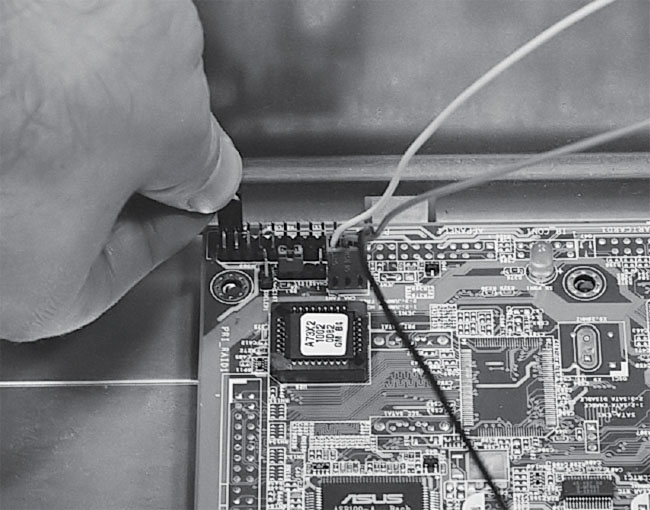
Figure 72
shows the connection of the reset switch.
Figure 72: Connecting the reset switch from the case to the mainboard Pushing the reset switch on the case restarts your system.
|
These connectors were discussed
in the component overview section. It’s important to inspect the
little pins carefully before installing your mainboard, because it’s
easy to be off a pin and you’ll have a better view of the pins
before the mainboard is installed.
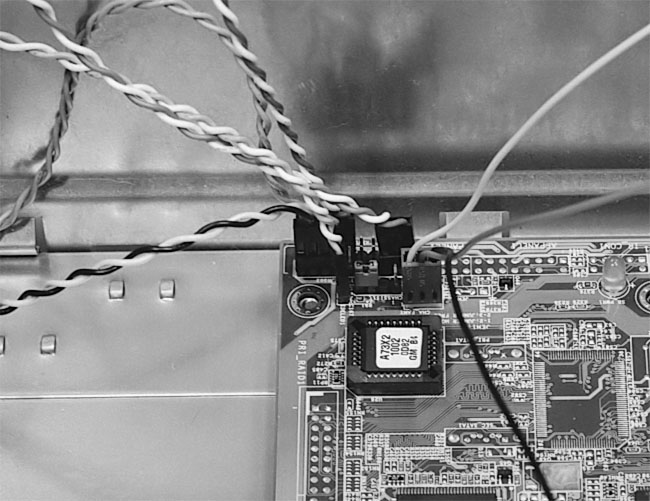
Figure 73
illustrates our mainboard with all of its thin-wire connections completed.
Figure 73: Connecting all the thin-wire connectors from the PC case to the mainboard See your mainboard manual to determine the proper connections. Often, the pins are also marked on the mainboard. These connectors were discussed during the component overview.
|
| If you find The PC Guide useful, please consider making a small Paypal donation to help the site, using one of the buttons below. You can also donate a custom amount using the far right button (not less than $1 please, or PayPal gets most/all of your money!) In lieu of a larger donation, you may wish to consider buying the inexpensive print version of How to Build Your Own PC, direct from the author. Thanks for your support! |
|
|
Home -
Table Of Contents - Contact Us
How to Build Your Own PC (http://www.PCGuide.com/byop/) on PCGuide.com
Version 1.0 - Version Date: May 4, 2005
Adapted with permission from a work created by Charlie Palmer.
PCGuide.com Version © Copyright 2005 Charles M. Kozierok. All Rights Reserved.
Not responsible for any loss resulting from the use of this site.
|


